Protect a deck & track engagement
Lock it with a password or email gate, watermark it, add a personal intro video, then watch dwell, scroll, and CTA clicks roll into Insights.
Updated
Most decks disappear the moment you hit send. You get a "thanks!" and no idea whether anyone read past slide one. HoldFast flips that around: gate the deck so the right people open it, brand it so it looks like you, and watch, slide by slide, what your reader actually did. Here's the whole engagement layer, all set from the deck's Settings panel.
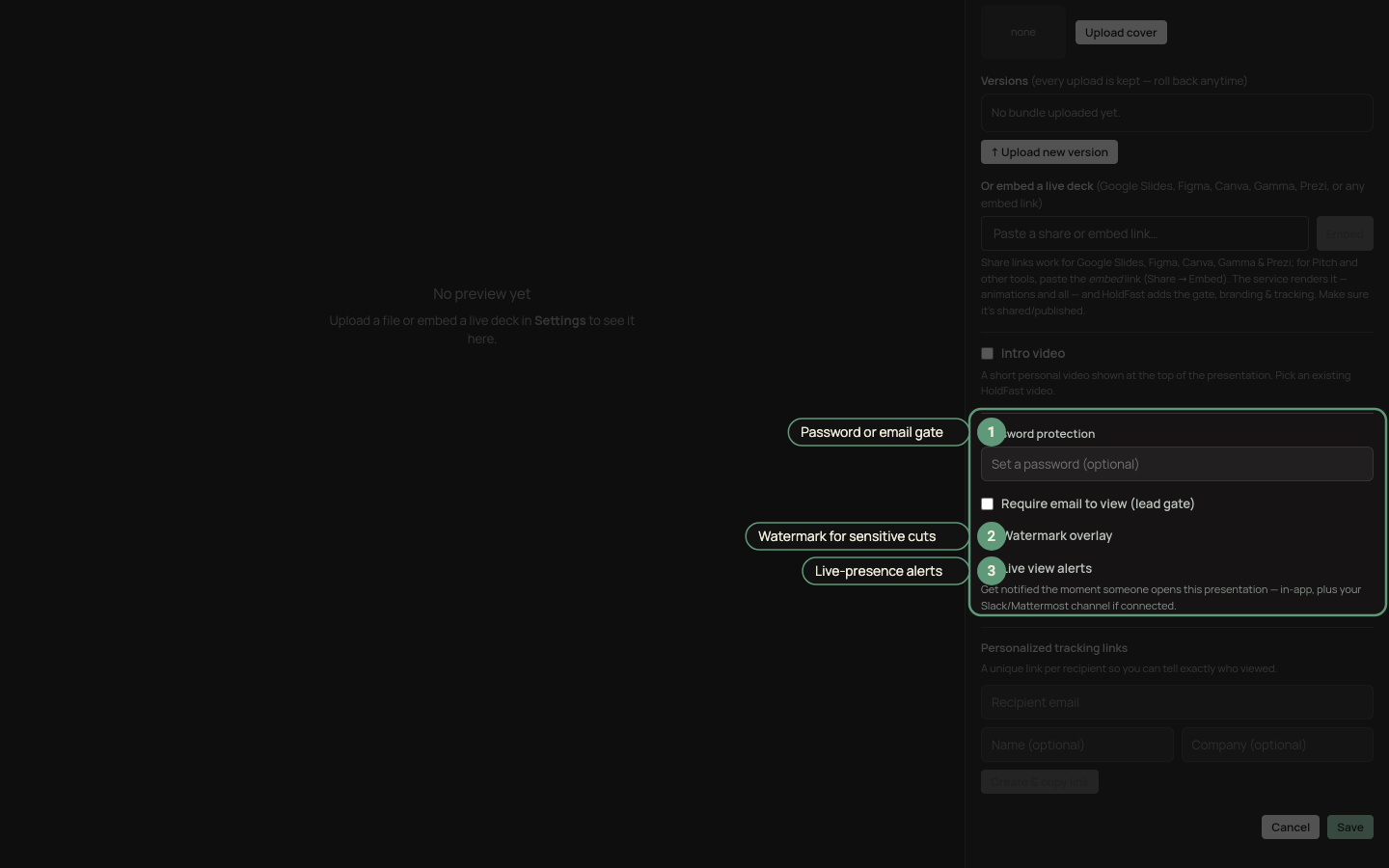
Gate it, watermark it, and turn on live-presence alerts.
Gate it
Two ways to control who gets in, both optional:
- Password: viewers enter it before the deck loads. It's enforced on the server, not just hidden in the page.
- Email gate: viewers give an email before they can view. Every captured address flows straight into Contacts, which turns an anonymous open into a named lead. Use this when the deck doubles as a way to build your list.
With no gate, anyone with the link can view: fine for a public case study, less so for a pricing proposal.
Brand it and watermark it
Apply a brand kit so the gate and the deck carry your logo, colors, and fonts. For sensitive material, add a watermark: identifying text laid over the deck, a quiet reminder that this copy belongs to a specific reader.
Add a personal intro
You can attach a short rep video to the top of the deck: record it in the browser or upload one. It shows as a scroll-away card above the first slide or a floating bubble in the corner. It's the closest thing to walking someone through a proposal without being in the room.
Then see who read it
This is the part an email attachment can never do. As people open the deck, Insights fills with per-slide dwell time, scroll depth, completion, CTA clicks, and rep-video plays, so you can see that a reader lingered on the case-study slide and skipped the pricing, or came back a second time.
HoldFast resolves that traffic to a company whenever the signal is strong enough, and grades it honestly: a verified match reads differently from a likely one. To attach a named person, use the email gate above, send a personalized link per recipient (which attributes every view without asking for an email), or let a CRM match name them.
Want to know the moment someone opens it? Turn on live-presence alerts to get a "someone is viewing now" note in Slack or Mattermost. See Get alerted when someone is watching and How to see who watched your video for the full picture.
Ready to try it?
Host video, collect frame-accurate review, and see who's watching. Free to start.
Start free