HoldFast API & tokens
Automate anything the UI does (projects, uploads, review links, reels, analytics) with a token and a curl.
Updated
Everything you do in the HoldFast UI, you can do with a token and a curl. Create projects, upload footage, spin up review links, list reels, pull analytics: the REST API mirrors the app, so you can wire HoldFast into a build script, a nightly job, or your own internal tool.
Create a token
In Settings, open API Tokens and create one. A token:
- Starts with
hf_and is shown once, so copy it and store it somewhere safe. - Carries the scope of the role that made it: Admin / Member tokens reach every endpoint, Sales tokens are limited to reels and analytics.
- Can take an optional expiry, and can be revoked at any time with immediate effect.
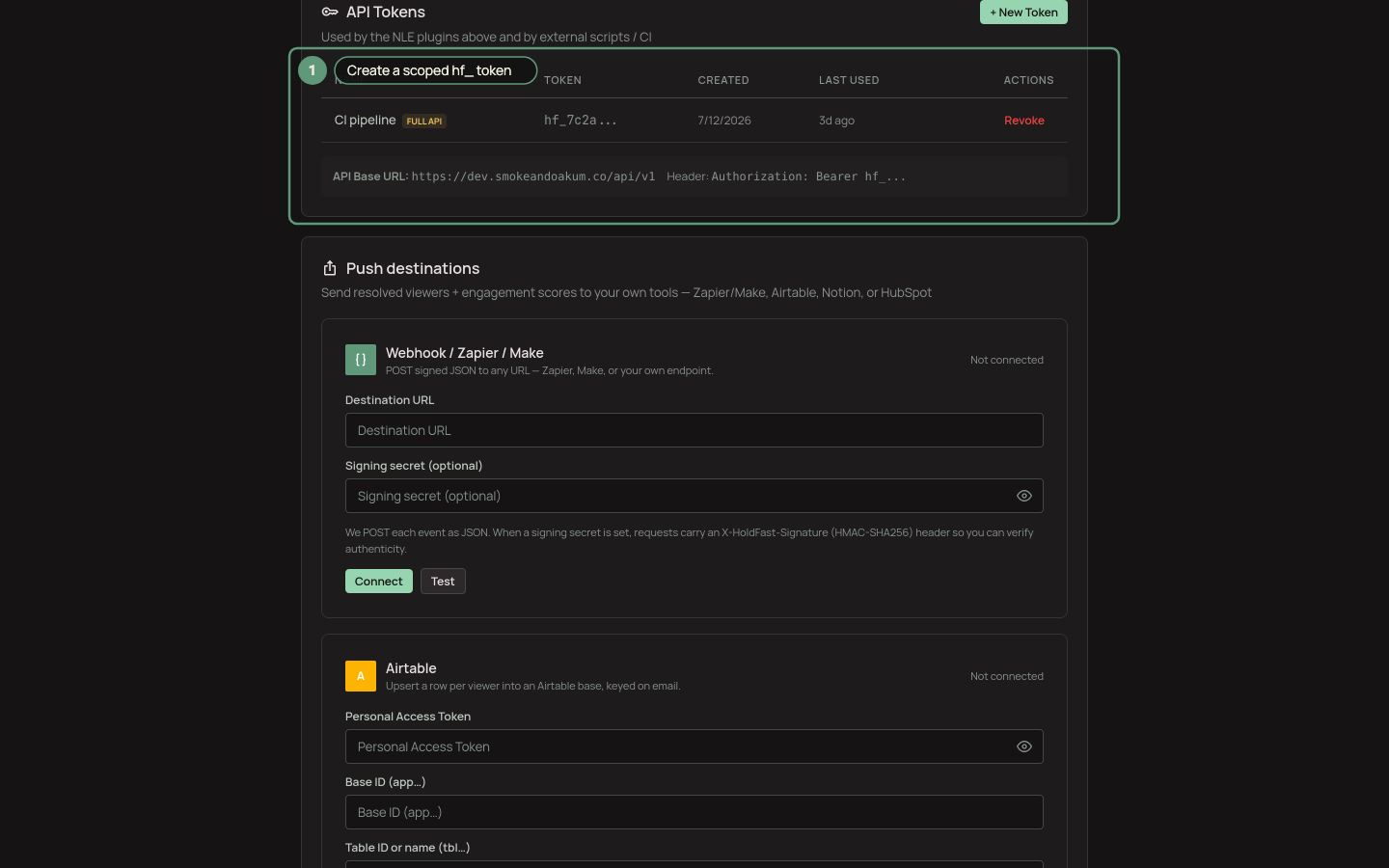
Create a scoped hf_ token in Settings → Integrations.
Base URL and auth
The API lives at https://your-domain/api/v1. Every request carries your token in the header:
Authorization: Bearer hf_your_token_here
Send JSON bodies with Content-Type: application/json. Errors come back as { "error": "message" } with a normal HTTP status: 401 for a bad or revoked token, 403 when the token's scope is too narrow, 404 when a resource isn't in your workspace.
The endpoints
GET /projectsandPOST /projects: list projects with asset counts, or create one.POST /assets/upload: upload a file (multipart) into a project; it's ready to watch in seconds.GET /review-linksandPOST /review-links: list or create shareable review links.GET /reels: list your reels (available to Sales tokens too).GET /analytics/overviewandGET /analytics/storage: workspace counts and storage usage.
A first call
List your projects:
curl -H "Authorization: Bearer hf_your_token" https://your-domain/api/v1/projects
Create one:
curl -X POST -H "Authorization: Bearer hf_your_token" -H "Content-Type: application/json" -d '{"name":"New Project"}' https://your-domain/api/v1/projects
Not sure the token or host is right? Hit the health check, which needs no auth:
curl https://your-domain/api/health
It returns {"status":"ok"}, so you can confirm connectivity before you start debugging tokens.
Go deeper
The complete endpoint reference lives in-app under API Documentation in the help panel, and can be downloaded as a file. If you'd rather have HoldFast push to you than poll it, wire up webhooks to Zapier instead.
Ready to try it?
Host video, collect frame-accurate review, and see who's watching. Free to start.
Start free