Brand & customize your reel
Your logo, your colors, your font (down to custom CSS) on a page that looks like it lives on your site.
Updated
A reel carries your name to the person who might hire you, so it should look like it came from you, not from a video host. HoldFast gives you control over every visible surface of a reel page: the logo in the corner, the colours, the background, the font, all the way down to custom CSS if you want pixel parity with your own site. The result is a branded video portfolio page that reads like it lives on your domain.
Start with a brand kit
The fastest way to stay consistent is a brand kit: a reusable set of logo, colours, and fonts that you build once and apply to every reel and review link. A kit holds your colours (primary, secondary, accent, background, and text), your fonts (a body face and a heading face), and your logos (the full logo, a logo mark, and a favicon). You can add a website URL too.
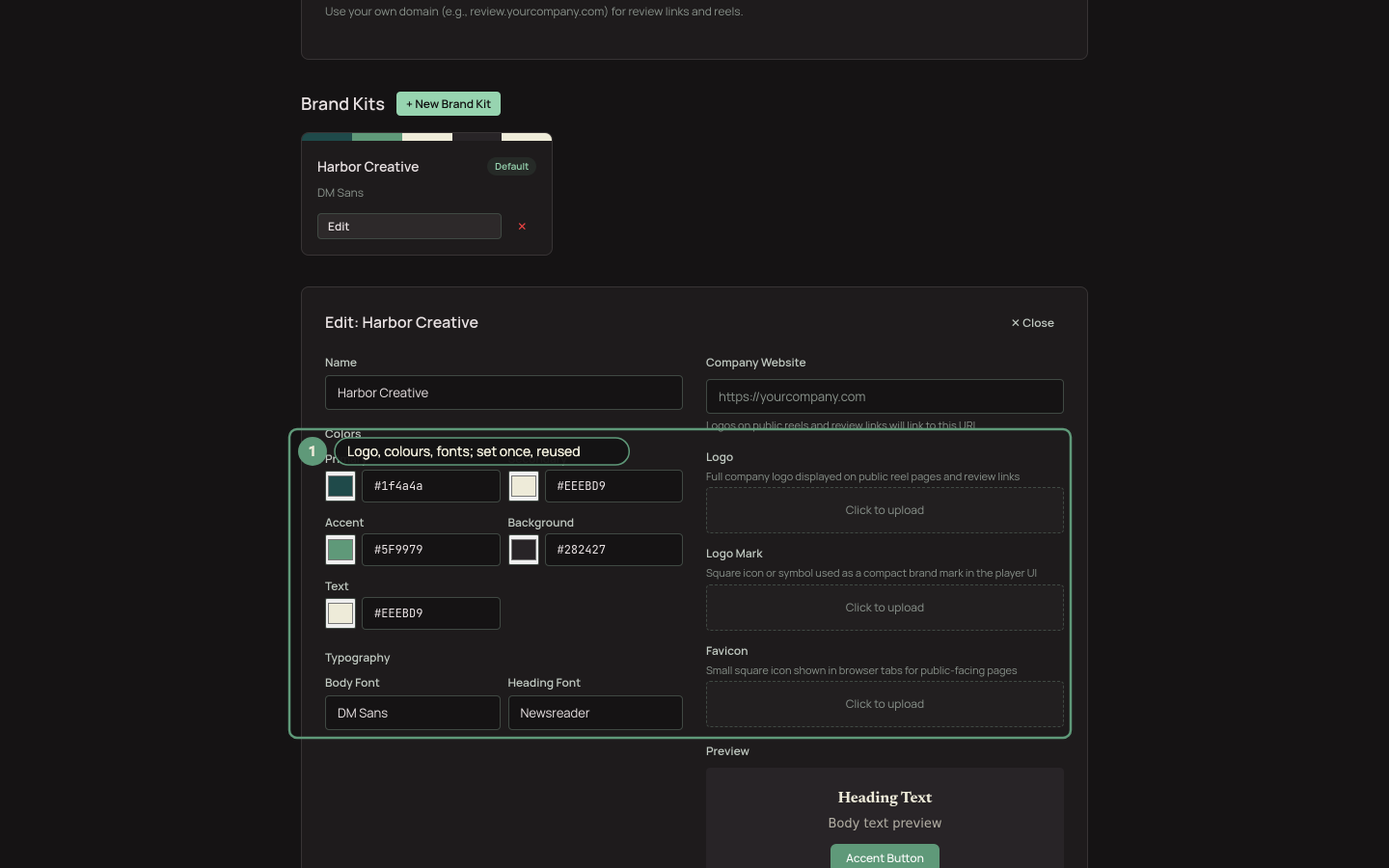
Brand kits set the defaults; per-reel overrides fine-tune.
Set one kit as the default and every new reel picks it up automatically, so you are never re-entering brand colours by hand. Manage kits in your workspace settings; the logo mark also shows up in your own navigation bar.
Override a single reel
Sometimes one reel needs to look different: a client-specific piece, a seasonal campaign, a one-off in a partner's colours. Open the reel and use the branding controls in the sidebar to swap the logo, colours, background, and font for that reel alone. A per-reel override sits on top of the default kit, so you change only what you need and leave everything else inherited.
For teams that want the page to match their own site exactly, there's custom CSS: full control for the details a colour picker can't reach, like spacing, hover states, and type scale.
Shape the layout
Branding is more than colour. The layout controls change how the clips read:
- Columns: 1 to 4. One column plays like a cinema; four reads like a contact sheet.
- Auto-advance: roll straight into the next clip when one ends.
- Show title: display each clip's name, or hide the names for a cleaner wall.
Every clip is ready to watch in seconds and streams smoothly on any device, from a phone on cellular to a boardroom display, so the page looks right wherever it lands.
Capture a lead at the door
If a reel is doing double duty as a lead magnet, turn on the email gate: viewers enter an email before playback, and every address flows into your Contacts. It's optional, and it's one of the honest ways HoldFast can put a name to a viewer later.
Once the page looks the way you want, publish and share it. To send a tracked, per-person version to a prospect, see Personalized links for sales outreach; to drop the reel straight onto your own site, see Embed a reel on your website.
Ready to try it?
Host video, collect frame-accurate review, and see who's watching. Free to start.
Start free